


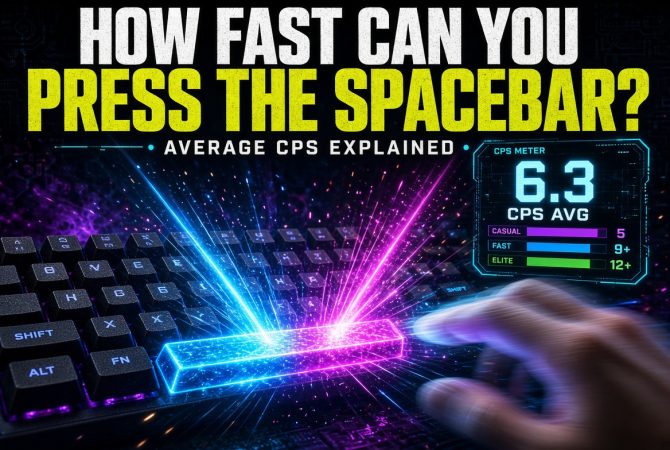

Have you ever wondered how fast you can actually hit the spacebar?
It sounds simple, but once you put a timer on it, spacebar tapping quickly turns into a genuine speed and consistency test. Some people can comfortably maintain a steady rhythm, while others are much faster in short bursts but slow down once the test runs for 10, 30 or 60 seconds.
The easiest way to compare results is with CPS, or clicks per second. In a spacebar test, CPS simply measures how many individual spacebar presses you can register each second.
If you want to measure your own score before reading on, try GamerBolt’s Spacebar Counter. It tracks your total presses, live CPS, timed results and personal best.
What Does Spacebar CPS Mean?
CPS stands for clicks per second.
Although the term originally makes you think of mouse clicks, the same measurement works perfectly well for repeated keyboard presses.
The calculation is straightforward:
Spacebar CPS = total spacebar presses ÷ number of seconds
For example, imagine you complete a 10-second test and press the spacebar 68 times.
68 ÷ 10 = 6.8 CPS
That means you averaged 6.8 spacebar presses per second across the entire test.
This is more useful than looking only at the total number of presses because CPS allows you to compare different test lengths.
Someone recording:
- 35 presses in 5 seconds
- 70 presses in 10 seconds
- 210 presses in 30 seconds
would average 7 CPS in every test.
What Is an Average Spacebar CPS?
There isn’t a universally recognized official average for spacebar tapping.
Results vary considerably depending on the person’s technique, keyboard, test duration and whether they use one finger, two fingers or alternating thumbs.
For a casual benchmark, however, a result somewhere around 4–6 CPS is a reasonable starting range for many users doing a sustained test.
Once you start reaching around 7 CPS or more, you’re maintaining a fairly quick tapping rhythm.
Very high scores usually require a more deliberate technique rather than simply pressing the spacebar normally.
A useful rough guide is:
| Spacebar CPS | General Level |
|---|---|
| Below 3 CPS | Relaxed / beginner pace |
| 3–5 CPS | Casual |
| 5–7 CPS | Fast |
| 7–9 CPS | Very fast |
| 9–12 CPS | Exceptional |
| 12+ CPS | Extremely high sustained speed |
These aren’t official competitive standards. They’re better treated as a fun benchmark for comparing your own attempts.
The most useful comparison is often you versus your previous score.
Why a 10-Second Spacebar Test Is Useful
A very short test can exaggerate your maximum speed.
For example, almost anyone can tap more aggressively for one second than they can sustain for an entire minute.
That’s why a 10-second spacebar test works particularly well as a general benchmark.
Ten seconds is long enough that you need:
- a consistent rhythm
- repeatable key presses
- reasonable hand coordination
- enough stamina to avoid immediately slowing down
At the same time, it’s short enough that fatigue isn’t usually the dominant factor.
You can run a 10-second test using GamerBolt’s spacebar speed test and then compare the result with longer modes to see how quickly your CPS drops as the test duration increases.
Why Does Spacebar Speed Vary So Much?
Your CPS isn’t simply determined by how fast your fingers are.
Several things can affect the final score.
1. Your tapping technique
A single finger creates a natural ceiling because the same finger has to press the key, lift and then press again.
Using two fingers or alternating thumbs can create a much faster rhythm because one hand can begin the next movement while the other finishes the previous one.
It’s similar to tapping a drum with alternating hands.
2. Test duration
Shorter tests usually produce higher scores.
Someone might be capable of:
9 CPS for one second
but only:
6.5 CPS over 30 seconds
That doesn’t necessarily mean anything is wrong. Maintaining maximum tapping speed requires considerably more endurance than producing a quick burst.
3. Keyboard feel
Different keyboards can feel dramatically different when repeatedly pressing the same key.
The spacebar is also much larger than most keyboard keys and normally uses stabilizers, so its feel can vary even more between keyboards.
Switch type, key travel, actuation and the physical construction of the board can all influence how comfortable repeated presses feel.
That doesn’t mean buying a faster keyboard will magically add several CPS, though.
Modern gaming keyboards generally already offer low input latency, and the user’s physical tapping speed is usually a much larger part of the equation.
RTINGS’ keyboard testing defines latency as the time required for a key input to reach the computer, and notes that latency matters most in gaming and other timing-sensitive scenarios.
Read RTINGS’ keyboard latency methodology
Does Keyboard Latency Affect Your Spacebar CPS?
Technically, yes — but probably less than you might think.
Every keyboard introduces some amount of latency between physically pressing the key and the computer receiving the input.
Gaming keyboards generally aim to reduce this delay.
Connection type and polling rate can influence latency. For example, RTINGS notes that Bluetooth typically has greater latency than wired connections or dedicated wireless USB receivers, while many modern gaming keyboards poll at 1,000Hz or higher.
However, once a keyboard is already responsive, the differences can become extremely small.
RTINGS’ research into modern rapid-trigger keyboards notes that reaction time remains a much larger factor in total gaming latency than tiny differences between already-fast keyboards.
So if you’re trying to improve from 5 CPS to 7 CPS, improving your tapping technique is likely to matter much more than shaving another millisecond from your keyboard.
Mechanical vs Membrane: Which Is Faster for Spacebar Clicking?
There isn’t a simple rule that says mechanical keyboards automatically produce better CPS.
A mechanical keyboard may feel better for repeated presses because of:
- predictable switch behaviour
- clear actuation
- consistent key feel
- different switch weights
- potentially shorter actuation distances
But membrane keyboards can also be perfectly responsive.
Even among gaming keyboards, there are many different switch technologies. Current models include traditional mechanical switches, optical designs and Hall effect magnetic switches.
RTINGS’ current gaming-keyboard guidance highlights latency, switch type, build quality, comfort and feel as the key factors worth considering rather than simply assuming one keyboard technology is always superior.
See RTINGS’ current gaming keyboard testing
What About Rapid Trigger Keyboards?
Rapid Trigger is designed to make repeated inputs reset more quickly.
Instead of requiring the key to return past a fixed reset point, compatible keyboards can register the key as released almost as soon as it begins moving upward.
That can help with repeated movement inputs in games.
Razer, for example, describes its Rapid Trigger system as allowing keys to reset after a very small upward movement, enabling quicker repeated inputs.
Razer’s explanation of Rapid Trigger
For a pure spacebar speed challenge, though, there is still a physical limit imposed by how quickly you can repeatedly move the key and your fingers.
So Rapid Trigger is interesting technology, but don’t expect it to turn an average tapping speed into an elite score on its own.
One Finger vs Two Fingers
This is probably the easiest technique change to experiment with.
One-finger tapping
Using one index finger or thumb is simple and consistent.
It’s also how most people naturally attempt the test the first time.
The downside is that one finger must perform every stage of every press.
Two-finger tapping
Alternating between two fingers allows you to create a rhythm:
left ? right ? left ? right
or:
thumb ? thumb ? thumb ? thumb
Rather than waiting for one finger to complete the full movement before beginning another.
Some users find this significantly faster once they learn the rhythm.
Try both methods using the same 10-second test and compare your results rather than assuming one technique will automatically work better for you.
How to Improve Your Spacebar CPS
If your goal is simply to improve your score, technique and consistency are the best places to start.
Relax your hand
Trying too hard often makes you slower.
When your hand and forearm become tense, repeated movement becomes more difficult and you fatigue more quickly.
Aim for light, controlled presses.
Don’t press harder than necessary
You don’t earn extra points for smashing the key into the keyboard.
As soon as the press registers, extra force only adds unnecessary movement.
Find a repeatable rhythm
A steady rhythm is often better than attempting a frantic burst and immediately slowing down.
Try thinking of the presses almost like a beat.
Experiment with two fingers
If you’ve hit a plateau using one finger, alternating two fingers may allow you to maintain a faster rhythm.
Practise with the same test duration
If you’re measuring improvement, keep the test consistent.
Don’t compare your best one-second burst with yesterday’s 60-second endurance score.
Use the same duration, preferably around 10 seconds, and track your results over time.
You can do that with the GamerBolt Spacebar Counter, which stores your personal best locally in the browser.
Does a Fast Spacebar CPS Actually Help in Games?
Not directly in every game.
Gaming performance involves far more than how quickly you can hammer one key.
Reaction time, timing, movement, accuracy, strategy and the game’s own mechanics are generally far more important.
That said, rapid and controlled keyboard input can matter in games involving:
- repeated jumping
- rhythm mechanics
- movement techniques
- quick directional changes
- platforming
- rapid action inputs
The spacebar is commonly used for jumping, so games with frequent movement inputs can reward good keyboard coordination.
Modern low-latency and rapid-trigger keyboards are specifically designed around making repeated inputs and releases more responsive, particularly in fast-paced competitive games.
But think of a spacebar CPS test primarily as a fun benchmark for finger speed and consistency, not a direct measurement of overall gaming skill.
Does Your Monitor Affect the Test?
Not the number of key presses registered by the browser, but your overall perception of responsiveness can be affected by the rest of your setup.
Input latency isn’t produced by one component alone.
Your keyboard, computer and display all contribute to the time between an input and seeing the resulting action.
RTINGS explains that monitor input lag represents only one stage of the overall system latency chain, alongside the PC and input peripherals.
For a simple browser-based spacebar counter, though, don’t worry too much about tiny hardware differences.
The aim is to use the same setup repeatedly so your scores remain comparable.
What’s the Fastest Way to Press the Spacebar?
For most people, the best method to experiment with is alternating two fingers or thumbs.
The basic approach is:
- Place two fingers comfortably over different areas of the spacebar.
- Press with the first finger.
- As it lifts, press with the second.
- Repeat in a steady alternating rhythm.
- Avoid pushing the key harder than necessary.
Don’t immediately try to go as fast as physically possible.
Start with a controlled rhythm and gradually increase the pace.
The important thing is that every press genuinely releases before the next input rather than simply holding the key down and relying on keyboard auto-repeat.
GamerBolt’s counter ignores held-key auto-repeat so your result reflects actual individual presses.
Should You Use a 1, 5, 10 or 60 Second Test?
Each duration tells you something slightly different.
| Test Length | What It Measures Best |
|---|---|
| 1 second | Maximum burst speed |
| 5 seconds | Short-term speed |
| 10 seconds | Speed + consistency |
| 30 seconds | Speed + endurance |
| 60 seconds | Sustained tapping stamina |
| 100 seconds | Long-form endurance |
If you only want one benchmark, use 10 seconds.
If you’re curious about your endurance, compare your 10-second CPS with your 30- or 60-second result.
A large drop is normal because maintaining maximum repeated movement becomes progressively harder.
Can You Cheat a Spacebar Counter by Holding the Key?
A poorly designed counter might repeatedly count the keyboard’s automatic repeat signal when you hold the spacebar down.
That isn’t genuine clicking speed.
A proper test should count distinct physical presses rather than simply every repeated keyboard event generated while a key remains held.
That is why the GamerBolt tool ignores held-key auto-repeat and measures individual spacebar presses.
Spacebar CPS vs Mouse CPS
These two tests use the same basic measurement but test very different movements.
A mouse CPS test usually involves repeatedly pressing a small mouse switch with one or two fingers.
A spacebar test uses a much larger keyboard key.
That means you shouldn’t directly compare a mouse CPS score with a spacebar CPS score and assume one is better.
The hardware, travel distance and clicking technique are different.
If you want to measure mouse clicking instead, GamerBolt also has a CPS Test with live clicking statistics and multiple test modes.
Final Thoughts
There isn’t one magic CPS score that everyone should aim for.
Your spacebar speed depends on your technique, keyboard, test length and how well you can maintain a rhythm.
For most people, the fun comes from establishing a personal baseline and then seeing whether they can beat it.
Try a few attempts with one finger, experiment with alternating fingers, and compare your short and long-duration scores.
And if you haven’t measured yours yet, run GamerBolt’s free Spacebar Counter and see exactly how many presses per second you can manage.
