By

In this guide
- GTA 6 preload: everything confirmed
- When can you preload GTA 6 on PS5 and Xbox?
- How big is the GTA 6 download?
- How long will GTA 6 take to download?
- How to preload GTA 6 on PS5
- How to preload GTA 6 on Xbox Series X and Series S
- How to free up 212GB of console storage
- What about physical code-in-box copies?
- What happens if GTA 6 will not preload?
- Does preloading let you play GTA 6 early?
- GTA 6 preload FAQ
- Get ready for November 19
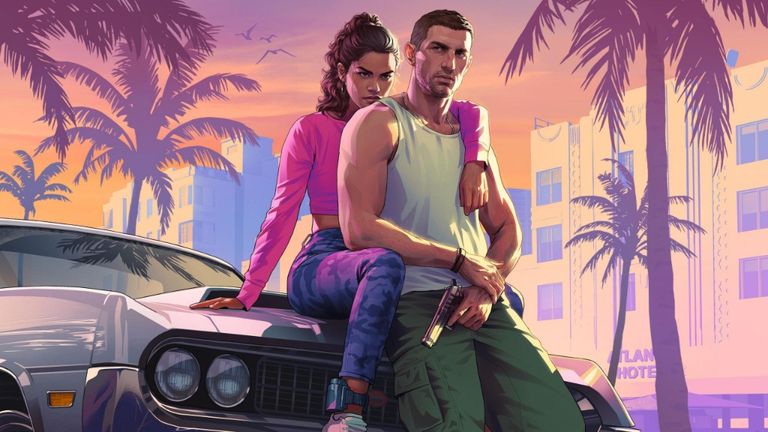
Grand Theft Auto VI is almost here, and Rockstar Games has finally confirmed when players can start downloading it. The GTA 6 preload begins on November 10, 2026, nine days before the game’s November 19 release on PlayStation 5 and Xbox Series X|S.
There is another important detail: GTA 6 will require up to 212GB of available storage, depending on your console. Anyone planning to jump into Vice City on launch day should start preparing their system now.
Rockstar originally announced November 12 as the digital preload date, but brought it forward by two days in an update published on November 3. Here is everything you need to know about GTA 6’s preload times, file size, download instructions and storage requirements.
GTA 6 preload: everything confirmed
| Detail | Official information |
|---|---|
| Preload date | November 10, 2026 |
| PS5 preload time | Midnight local time |
| Xbox Series X|S preload | 12:00 AM GMT worldwide |
| Required storage | Up to 212GB |
| Physical code-in-box availability | From November 12 |
| Release date | November 19, 2026 |
| Confirmed platforms | PS5, Xbox Series X and Series S |
| PC preload | Not announced |
These details come directly from Rockstar Games’ official preload FAQ. The distinction between preloading and playing is important: downloading the game early does not unlock it before release.
For more on the story, editions and characters, see our Grand Theft Auto VI game hub — and if you’re planning your launch setup, our guide to building a GTA 6-ready console setup is worth a read.
When can you preload GTA 6 on PS5 and Xbox?
Both consoles begin preloading on November 10, but Rockstar is using two different scheduling systems.
- PlayStation 5: downloads begin at midnight on November 10 in each player’s local time zone.
- Xbox Series X and Series S: downloads become available at one simultaneous worldwide moment — 12:00 AM GMT on November 10.
This means Xbox players in North America can begin on the evening of November 9, while players in parts of Asia and Oceania must wait until later on November 10.
GTA 6 worldwide preload times
| Region | PS5 preload | Xbox preload |
|---|---|---|
| UK (GMT) | Nov 10, 12:00 AM | Nov 10, 12:00 AM |
| US Eastern (EST) | Nov 10, 12:00 AM | Nov 9, 7:00 PM |
| US Pacific (PST) | Nov 10, 12:00 AM | Nov 9, 4:00 PM |
| Central Europe (CET) | Nov 10, 12:00 AM | Nov 10, 1:00 AM |
| India (IST) | Nov 10, 12:00 AM | Nov 10, 5:30 AM |
| Japan (JST) | Nov 10, 12:00 AM | Nov 10, 9:00 AM |
| Sydney (AEDT) | Nov 10, 12:00 AM | Nov 10, 11:00 AM |
| New Zealand (NZDT) | Nov 10, 12:00 AM | Nov 10, 1:00 PM |
These regional conversions are based on Rockstar’s announced timing. PlayStation players should also check their individual PlayStation Store countdown, which is the most useful reference if regional storefront scheduling differs.
You do not have to begin downloading at midnight. Once preloading opens for your system, you can download the game at any point before release.
How big is the GTA 6 download?
Rockstar has confirmed that GTA 6 preloading requires up to 212GB of available space, depending on the device. That is a substantial amount of storage for a single game, particularly on consoles already filled with other large titles.
However, it is important not to interpret 212GB as the exact installation size of every edition on every platform. Rockstar has not provided individual download sizes for PS5, Xbox Series X and Xbox Series S — the confirmed figure is an upper requirement for preloading, and the final installed size may differ between systems.
Players should therefore prepare for the full 212GB rather than assuming their version will be significantly smaller. Future patches and updates may also affect how much storage is needed after launch.
How long will GTA 6 take to download?
The time required depends heavily on your internet connection, available bandwidth and the performance of PlayStation Network or Xbox services. Using Rockstar’s maximum 212GB requirement as an example, the approximate download times would be:
| Internet speed | Ideal download time |
|---|---|
| 25 Mbps | 18 hours 51 minutes |
| 50 Mbps | 9 hours 25 minutes |
| 100 Mbps | 4 hours 43 minutes |
| 200 Mbps | 2 hours 21 minutes |
| 500 Mbps | 57 minutes |
| 1 Gbps | 28 minutes |
These are theoretical estimates assuming continuous full-speed downloading of 212GB. Actual times may be longer because of network overhead, server speeds and connection fluctuations. A 100Mbps broadband connection, for example, could require around five hours or more for a download of this size.
Players with slower broadband or limited monthly data allowances should take particular care — downloading 212GB could consume a significant proportion of a capped connection’s allowance. Fortunately, GTA 6’s nine-day preload window gives players time to complete the download without rushing on release night.
How to preload GTA 6 on PS5
Sony has published official instructions for preparing digital pre-orders, including how to enable automatic downloads.
Step 1: Confirm your pre-order
Sign in to the PlayStation account used to purchase Grand Theft Auto VI, then find the game in your library or PlayStation Store and check that your digital pre-order is associated with the account. If you purchased a boxed download-code edition, you will need to receive and redeem the code before installing it.
Step 2: Enable automatic downloads
Open Game Library from the Games home screen, find your pre-ordered copy of Grand Theft Auto VI and select the countdown timer displayed for the game. Check the downloadable content options and ensure the relevant auto-download boxes are selected, then confirm. Sony recommends enabling its automatic download settings before the preload window opens.
Step 3: Check storage and Rest Mode
Make sure your PS5 has sufficient available storage and is connected to the internet. If you want the download to take place while you are away, enable the option that allows the console to remain connected to the internet during Rest Mode.
Step 4: Monitor the download
From November 10, check your PS5’s download queue to confirm that the preload has started. If it has not, revisit your game library and the pre-order’s download options.
How to preload GTA 6 on Xbox Series X and Series S
Xbox preloading begins simultaneously worldwide at midnight GMT on November 10. Players who have digitally pre-ordered should prepare their consoles before that time.
Step 1: Check your purchase
Sign in to the Xbox account associated with your Grand Theft Auto VI pre-order, then check your owned games library or Microsoft Store listing to confirm the purchase.
Step 2: Prepare the installation
Open My games & apps and look for GTA 6 in your owned games or available installation options. Depending on the current Xbox interface and when the preload becomes available, you may be able to select an installation manually — if no option is visible before the official preload time, that does not necessarily mean anything is wrong.
Step 3: Enable automatic updates
Rockstar specifically advises Xbox players to enable automatic updates and leave their console powered on or in Sleep mode for automatic preloading. Ensure the console has sufficient storage and an active internet connection.
Step 4: Check the queue
Once preloading opens, inspect your installation queue to confirm that GTA 6 has started downloading. If the process does not begin automatically, revisit the game listing and check for an available installation option. For further assistance, Rockstar links directly to Xbox’s official pre-order support.

How to free up 212GB of console storage
The most useful thing players can do before November 10 is check their available space.
On PlayStation 5
Open Settings → Storage to review how much space is available. You can remove games you no longer play, move compatible content to another storage device or consider installing a supported M.2 SSD. An important distinction: PS5 games cannot be played directly from ordinary USB extended storage — they need to be on the console’s internal SSD or a compatible installed M.2 SSD.
On Xbox Series X and Series S
Check storage under Settings → System → Storage devices. Xbox offers more flexibility: Series X|S titles can be stored on USB external drives, though they must be moved back to internal storage or a Storage Expansion Card to actually play. GTA 6 itself will need to live on internal storage or an expansion card.
What about physical code-in-box copies?
These code-in-box versions are expected to become available from retailers starting November 12. Once you receive your code, you can redeem it through the relevant console storefront and download the game.
This means customers purchasing a boxed copy should not automatically expect to begin preloading on November 10, since they may not have received their code by then. Rockstar also advises buyers to check regional code compatibility — PlayStation download codes have regional restrictions, so purchasing from a retailer serving the same country as your account is the safest option. See Rockstar’s editions and versions FAQ for the full details.
What happens if GTA 6 will not preload?
If GTA 6 fails to download when preloading opens, do not immediately assume there is a wider server problem. Start with these checks:
- Confirm the correct time. PS5 and Xbox use different preload schedules, especially outside the UK.
- Check the account. Make sure you are signed in to the account that owns the game or has redeemed the relevant code.
- Check storage. A shortage of available space may prevent the installation from proceeding.
- Inspect your download settings. Automatic downloads may be disabled, or your console may not be configured to stay online during Rest Mode or Sleep mode.
- Check the connection and queue. Look for paused downloads, pending system updates or other installations taking priority.
- Restart the console if necessary. A normal restart can help after a temporary storefront or download-queue problem.
If the problem continues, use Rockstar’s GTA 6 preload support page to find the official troubleshooting instructions for your platform.
Does preloading let you play GTA 6 early?
No. Preloading allows you to download the game’s files before launch, but it does not grant early access to the playable game. Rockstar has confirmed a November 19, 2026 launch, with the release scheduled for midnight local time.
There is no officially announced early-play period attached to the Standard or Ultimate Edition — buying the Ultimate Edition therefore should not be treated as a way to start playing earlier.
GTA 6 preload FAQ
Is GTA 6 available to preload on November 12 or November 10?
November 10 is the updated official digital preload date. November 12 was the original date and remains relevant to the expected availability of physical code-in-box editions.
Is GTA 6 really 212GB?
Rockstar says the preload requires up to 212GB of available space depending on the console. Individual download sizes have not been confirmed for every version.
Can you preload GTA 6 on PS4 or Xbox One?
No versions have been announced for PlayStation 4 or Xbox One. The confirmed launch platforms are PlayStation 5 and Xbox Series X|S.
Can PC players preload GTA 6?
No PC edition or PC release date has been officially announced, so there is currently no confirmed PC preload.
Do you need the Ultimate Edition to preload?
No. Digital pre-orders of the Standard and Ultimate Editions are eligible for preloading.
Can I still download GTA 6 after November 10?
Yes. November 10 is when preloading becomes available, not a deadline. Eligible players can continue downloading before launch.
Will there be a launch-day patch?
Further updates are possible, as with other modern games, but Rockstar has not provided a confirmed launch-day patch size. Players should leave some additional storage available where practical.
Get ready for November 19
Grand Theft Auto VI’s arrival is now close enough that practical preparation matters more than speculation. The essential details are straightforward: digital preloading opens on November 10, the game requires up to 212GB of space, and the official console launch follows on November 19.
For players with fast connections, the download may be relatively painless. For those with slower broadband or limited storage, using the preload window wisely could make a considerable difference. Check your account, clear enough space and enable automatic downloads before November 10 — that way, when Rockstar finally opens the doors to Leonida, your console should be ready.
For the latest official game information, visit Rockstar Games, or follow our GTA VI coverage on the game hub.

Written by
Jay AllsoppMeet Jay, the visionary Founder of GamerBolt, who launched this gaming haven in 2010. A dedicated PS5 enthusiast, Jay thrives on the adrenaline rush of Call of Duty and the competitive spirit of EA Sports FC. His passion for gaming goes beyond play; it's about creating a community for fellow gamers to celebrate the worlds and stories they love; Gamerbolt.