


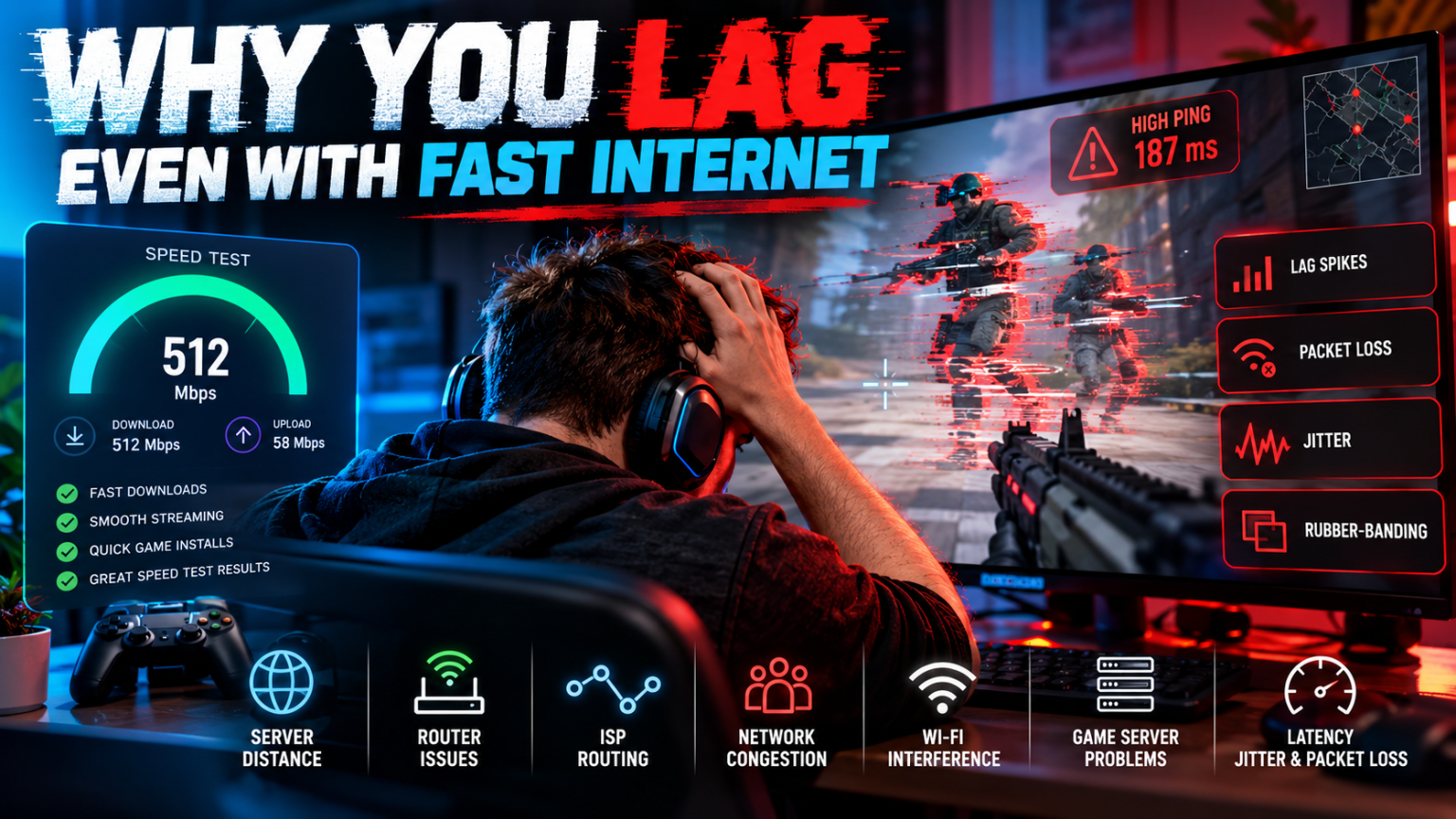

You run a speed test and the result looks fantastic. Perhaps you are getting 300Mbps, 500Mbps or even a full gigabit connection. Netflix streams instantly, huge games download surprisingly quickly and websites barely have time to display their loading animations.
Then you start an online game.
Suddenly, enemies are jumping across the screen, your shots seem to register half a second late and your character snaps backwards to a position you left moments ago. The game tells you that your connection is unstable despite everything else suggesting that your internet is extremely fast.
The frustrating truth is that internet speed and gaming connection quality are not the same thing.
A high download speed tells you how much data your connection can move. Online games, however, are far more sensitive to how quickly, consistently and reliably small amounts of data can travel between your system and the game’s servers.
That means a 1Gbps connection can sometimes provide a worse gaming experience than a stable 70Mbps connection.
Understanding why requires looking beyond the big download-speed number advertised by your broadband provider.
Your Internet Speed Isn’t Your Ping
Broadband companies understandably focus heavily on speed.
A connection capable of downloading hundreds of megabits every second is extremely useful when downloading a 100GB game, streaming 4K video or transferring large files. It doesn’t necessarily mean that data is travelling to your game server by the fastest possible route, though.
This distinction becomes particularly important with online gaming.
Your traffic may pass through your router, your ISP’s network and several other networks before eventually reaching the server hosting your match. The route taken can occasionally be inefficient or congested.
This is also why networking tools and proxy infrastructure exist for considerably more than simply hiding an IP address. Services such as ProxyWing.com provide access to proxy servers and alternative IP locations, which can be useful in situations involving network testing, geographic routing and IP-based applications.
Using a proxy does not automatically reduce gaming latency — adding an extra server can actually increase it — but testing alternative network routes can help identify situations in which the path taken by your normal connection is contributing to a problem.
For gaming, what ultimately matters isn’t simply how much data can travel through your connection.
It is how efficiently that data gets where it needs to go.
What Is Ping?
Ping is usually expressed in milliseconds (ms).
In simple terms, it represents how long it takes for information to travel between you and a remote server and receive a response.
Imagine pressing the trigger in an online FPS.
Your computer or console knows immediately that you pressed the button, but the game server also needs to receive information about what happened. It is simultaneously receiving information from other players, processing what is happening in the match and communicating the resulting game state back to everybody.
The lower your latency, the sooner those exchanges can happen.
Roughly speaking:
| Ping | Typical gaming experience |
|---|---|
| Under 20ms | Excellent |
| 20–40ms | Very good |
| 40–60ms | Good for most games |
| 60–100ms | Noticeable in fast competitive games |
| 100–150ms | Clearly delayed |
| 150ms+ | Increasingly difficult for real-time multiplayer |
These aren’t absolute rules. Different games handle networking differently, and some compensate for latency more effectively than others.
A turn-based strategy game isn’t particularly bothered by 80ms of latency. A competitive shooter certainly can be.
Cloudflare’s explanation of network latency describes latency as the time required for data to pass from one point on a network to another. Physical distance is one unavoidable component: a server located hundreds or thousands of miles away simply takes longer to communicate with than one nearby.
That’s why selecting the correct server region can have an enormous impact.
Why 500Mbps Doesn’t Mean 5ms Ping
Think about your internet connection as a motorway.
Bandwidth is the number of lanes.
Latency is how long the journey takes.
Adding another ten lanes means enormously more traffic can travel along the motorway simultaneously, but it doesn’t magically move your destination closer.
The same principle applies to broadband.
Going from:
100Mbps ? 500Mbps
can make a huge difference when downloading Call of Duty.
Going from:
500Mbps ? 1Gbps
might halve another large download.
But neither upgrade necessarily changes your gaming ping from 50ms to 20ms.
Once you have enough bandwidth to comfortably handle the game and everything else happening on your network, additional bandwidth produces diminishing returns for actual gameplay.
Online games generally don’t need to continuously transfer gigantic quantities of data. What they need is a steady, responsive connection.
And that’s where several other measurements become important.
Jitter Can Make Good Ping Feel Terrible
Imagine your ping normally sits at 25ms.
Excellent.
But then it becomes:
25ms
27ms
24ms
89ms
31ms
140ms
26ms
23ms
Your average might still look acceptable, yet your gaming experience could feel awful.
That variation in latency is known as jitter.
For online games, consistency is enormously important.
If packets normally arrive every 25 milliseconds and one suddenly takes 140 milliseconds, the game has to deal with information arriving much later than expected.
Depending on the game, that can manifest as:
- characters briefly freezing;
- teleporting or rubber-banding;
- inconsistent hit registration;
- delayed movement;
- voice-chat distortion;
- sudden lag spikes.
This explains one of the most confusing scenarios gamers encounter: your displayed ping looks fine most of the time, yet the game still feels laggy.
The average isn’t necessarily the problem.
The spikes are.
Packet Loss Is Even Worse
Data travelling across a network is divided into packets.
Ideally, those packets reach their destination successfully.
Sometimes they don’t.
That’s packet loss.
Even relatively modest packet loss can become painfully obvious in a multiplayer game because the server may never receive some of the information your system transmitted.
Imagine sending:
Position A ? Position B ? Position C ? Position D
but Position C disappears along the way.
The game now has to compensate for missing information.
This can result in:
- rubber-banding;
- players teleporting;
- shots apparently not registering;
- movement corrections;
- delayed interactions;
- disconnects;
- stuttering voice chat.
This is another reason a conventional speed test can be misleading.
You might achieve 600Mbps while still experiencing packet loss.
Your connection is moving lots of data quickly, but it isn’t moving all of it reliably.
Wi-Fi Is Often the Culprit
Modern Wi-Fi is excellent.
It is also inherently more variable than a physical cable.
Your wireless connection is affected by factors including:
- distance from the router;
- walls and floors;
- neighbouring wireless networks;
- router placement;
- wireless channel congestion;
- household devices;
- the Wi-Fi hardware inside your gaming device;
- other connected devices.
This can produce a particularly annoying situation where your broadband connection itself is performing perfectly but the final few metres between your router and console are creating the problem.
Try Ethernet before changing anything expensive.
Connect your PC, PlayStation or Xbox directly to the router using an Ethernet cable and test the same game again.
If the lag disappears, you’ve immediately narrowed down the problem.
We’ve previously covered several additional improvements in our guide to optimising your router for better online gaming, including wired connections, router positioning and traffic-prioritisation features.
Ethernet won’t solve an ISP routing problem or overloaded game server, but it removes one major variable from your own network.
Someone Else Might Be Destroying Your Latency
You could have perfect broadband and perfect Wi-Fi until someone else starts using the connection heavily.
Suppose you’re midway through a match while another device begins:
- downloading a 100GB game;
- backing up thousands of photos;
- uploading video;
- downloading an operating-system update;
- streaming multiple high-resolution videos.
Suddenly your game starts lagging.
The obvious assumption is that you have run out of internet speed.
Sometimes that’s true.
But another possibility is bufferbloat.
What Is Bufferbloat?
Routers and network equipment temporarily queue packets when a connection becomes busy.
Some buffering is normal.
Problems arise when those queues become excessively large.
Your gaming packets are tiny and time-sensitive, but they can end up stuck behind much larger amounts of other traffic.
Imagine standing at a supermarket checkout with one item while the person in front has six trolleys full of shopping.
The checkout itself works perfectly.
You’re simply waiting in the queue.
That’s broadly what can happen to your packets.
Your idle ping could therefore be:
15ms
while your ping under heavy load suddenly becomes:
150ms
or worse.
Your speed test might still proudly advertise hundreds of megabits per second.
The connection is undeniably fast.
It’s just no longer responsive.
Routers with effective QoS or modern queue-management technologies can sometimes dramatically improve this situation.
Download Latency Isn’t the Only Problem
Upload traffic matters too.
Gamers naturally concentrate on download speed because that’s the headline number attached to broadband packages.
But your device is constantly sending data while you play.
Your movements, button presses and other actions need to reach the server.
If another device saturates your upload bandwidth — perhaps someone uploading videos or performing a cloud backup — latency can spike even when there is plenty of download capacity available.
This is particularly relevant on connections where upload bandwidth is dramatically lower than download bandwidth.
A speed test showing:
500Mbps download / 30Mbps upload
might sound excellent.
But if something starts consuming almost all 30Mbps of upload bandwidth, your game can still suffer.
Distance From the Game Server Matters
You cannot negotiate with physics.
If you live in Birmingham and connect to a game server in London, the physical journey is relatively short.
Connect to a server in Los Angeles and your packets have thousands of miles further to travel.
That means more latency.
Even fibre-optic communication isn’t instantaneous.
This is why most major multiplayer games operate servers in numerous geographical regions.
Whenever a game allows manual server selection, choosing the closest suitable region will normally provide the best baseline latency.
Automatically selected regions aren’t always perfect either, so it’s worth checking which server the game has actually assigned you.
Your ISP’s Routing Can Matter
Distance isn’t the entire story.
Packets don’t always travel directly from your house to the destination server.
Internet traffic moves between interconnected networks.
Your ISP might send packets along a route that looks geographically illogical because routing decisions depend on network agreements, congestion, infrastructure and availability rather than simply drawing the shortest line on a map.
Two neighbours using different broadband providers could therefore connect to the exact same game server with noticeably different latency.
This also explains why your connection might work brilliantly with one game and badly with another.
The first game’s infrastructure may have excellent connectivity to your ISP.
The second might not.
Running tools such as traceroute can help technically confident users investigate where delays appear along a connection path.
Game Servers Can Be the Problem
Sometimes nothing is wrong with your internet at all.
Game servers themselves can suffer from:
- overload;
- outages;
- maintenance;
- network congestion;
- software problems;
- regional infrastructure failures.
If an enormous new multiplayer game launches and millions of players pile into the servers simultaneously, upgrading your home broadband isn’t going to fix overloaded infrastructure at the other end.
This is why you should check whether other players are reporting the same issue before dismantling your home network.
If everyone in the same lobby is complaining, your router probably isn’t the villain.
Your Frame Rate Can Feel Like Lag
Not every apparent networking problem is actually networking.
Low frame rates and frame-time spikes can create a sensation remarkably similar to connection lag.
Suppose your connection is running perfectly at 20ms.
If your GPU suddenly struggles and the game drops from 120fps to 35fps, controls become less responsive and movement looks less fluid.
That’s rendering performance, not internet latency.
Watch your game’s:
- FPS;
- CPU usage;
- GPU usage;
- temperatures;
- frame-time graph;
- network statistics.
If your ping remains stable while your frame rate collapses, troubleshooting the router won’t accomplish much.
Wireless Controllers and Displays Add Latency Too
The full responsiveness of a gaming setup involves more than internet latency.
Input has to travel from:
controller ? system ? game engine ? network ? server
and the resulting image then needs to be:
rendered ? output ? displayed
Extra latency can therefore come from:
- wireless controllers;
- televisions with heavy image processing;
- disabled Game Mode;
- low-refresh-rate displays;
- frame-generation or graphics settings;
- V-Sync;
- overloaded hardware.
A slow television won’t cause players to rubber-band around the map, but it can make controls feel sluggish enough that some gamers initially blame their connection.
Restarting Your Router Really Can Help
“Turn it off and back on again” is a cliché because it surprisingly often works.
Routers are computers.
They run continuously for weeks or months, maintain connections between numerous devices and occasionally encounter problems.
A reboot can clear temporary faults.
It won’t transform fundamentally poor broadband into an excellent connection, but it’s such a simple troubleshooting step that it should generally be attempted early.
Ofcom’s current broadband and Wi-Fi troubleshooting advice similarly recommends testing your connection, checking other devices using the network and rebooting networking equipment when diagnosing connection problems.
How to Actually Diagnose Gaming Lag
Randomly changing settings isn’t a particularly effective strategy.
Instead, isolate one variable at a time.
1. Check your normal ping
Look at the latency reported by your game.
Record what happens when everything is working properly.
2. Test with Ethernet
Temporarily connect directly to your router.
If your problem disappears, Wi-Fi is probably involved.
3. Test when nobody else is using the connection
Pause downloads, cloud backups and streaming services.
If the game suddenly becomes smooth, local network congestion deserves investigation.
4. Check for packet loss
Many games display packet-loss statistics alongside ping.
Packet loss is often more revealing than download speed.
5. Watch for jitter
Don’t simply look at the average ping.
Watch whether it remains stable.
A constant 40ms can feel dramatically better than a connection bouncing between 15ms and 120ms.
6. Try another game
If every game has problems, investigate your local connection or ISP.
If one game has problems while everything else works perfectly, its servers or the route to those servers become stronger suspects.
7. Try another server region
Where available, compare nearby server regions.
A significant difference can reveal a routing or geographic issue.
8. Check server status
Look for official service-status information and reports from other players.
9. Reboot your network equipment
Restart your router and, where applicable, fibre ONT or modem.
10. Test at different times
A connection that performs perfectly at 10am but deteriorates every evening could point towards congestion.
Patterns are useful.
Should You Upgrade Your Internet?
Maybe — but don’t assume that buying the fastest package available will solve latency.
If you’re currently on a very slow connection shared between several people, additional bandwidth can certainly help.
Likewise, moving from an ageing broadband technology to a modern full-fibre connection can improve far more than raw download speed.
But upgrading from an already capable 500Mbps connection to 1Gbps specifically because you have 70ms ping probably isn’t the first thing we’d try.
Find the bottleneck first.
Otherwise, you could double your broadband speed and discover that your ping hasn’t moved at all.
What Actually Matters for Online Gaming?
When judging a gaming connection, look beyond Mbps.
The important factors are:
Latency: How quickly does data make the round trip?
Jitter: How consistent is that latency?
Packet loss: Is data disappearing along the way?
Loaded latency: Does your ping explode when the connection becomes busy?
Routing: Is your ISP providing an efficient path to the game server?
Server location: How far away is the infrastructure you’re connecting to?
Local network quality: Are Wi-Fi or other devices introducing problems?
Server performance: Is the game’s own infrastructure struggling?
Those numbers tell you far more about how an online game will actually feel than a gigantic download-speed result.
Fast Internet Can Still Be Bad Gaming Internet
The biggest misconception surrounding gaming connections is that faster automatically means better.
It doesn’t.
Bandwidth determines how much data you can transfer. Gaming responsiveness depends heavily on how quickly and reliably relatively small amounts of data reach their destination.
That’s why somebody with a rock-solid 80Mbps fibre connection and 15ms ping can enjoy an exceptionally smooth game while another player with gigabit broadband battles constant lag spikes.
If your games are lagging despite impressive speed-test results, don’t immediately buy a faster broadband package.
Check your latency. Check jitter. Look for packet loss. Try Ethernet. Stop background traffic. Test another server and another game. Investigate whether latency increases dramatically when your network becomes busy.
Your internet may already be plenty fast enough.
The real problem could be everything happening between you and the game server.
