


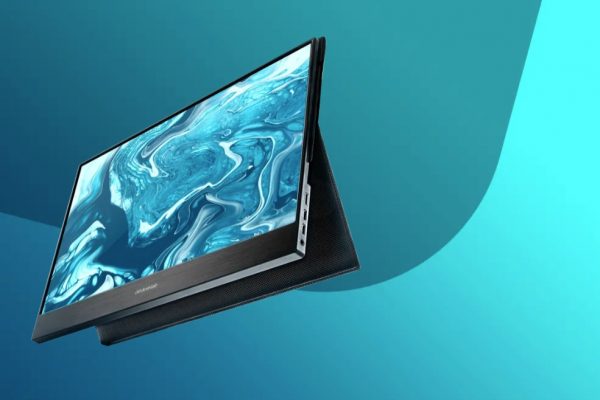

Most people spend their time concerned with GPUs when it comes to gaming. But the impact of a good gaming monitor can’t be overstated. With many established brands battling to be the number one consumer pick, Desklab is the newcomer on everyone’s lips.
To understand the importance of having the best gaming monitor, it’s essential to cover what separates these devices from the traditional monitor or TV setup.
What Do Gamers Want?
Monitors come in many shapes and sizes, and those dimensions have been key selling points lately. But bigger isn’t necessarily better when it comes to gaming.

You may enjoy watching movies on a 32-inch screen, but that doesn’t mean it will be the best option for your gaming needs as well.
Gamers always look for the right balance between size, resolution, and refresh rate.
A monitor that’s too big can cause you to get lost in the details. That’s far from ideal if you’re a competitive gamer where split-second decisions separate winners from losers.
But if you’re a casual gamer playing immersive role-playing games, you might appreciate the extra pixels that give you as much detail in a scene as possible.
In terms of resolution, your choices can vary based on several factors. For example, 1080p and 4K gaming offers the most exciting graphics.
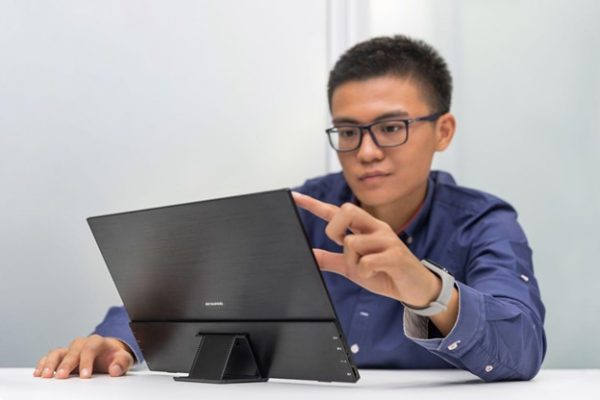
You’d be hard-pressed to find monitors in streaming studios or competitive arenas that aren’t at least running at 1080p. But this is where your computer’s setup makes a big difference.
Older graphics cards might not be powerful enough to run your favorite games at a high resolution. Meanwhile, entry-level to mid-range gaming still oscillates between 720p and 1080p resolutions.
Does this mean that the Desklab gaming monitor isn’t suitable for a less powerful configuration? Not exactly. You can always change your settings to display whatever your GPU is capable of rendering at a playable FPS rate.
But given that most gamers upgrade their rigs multiple times before upgrading their monitors, getting the best 4K gaming monitor right now is a wise choice. It’s better to future-proof your display needs whenever you can.
Let’s talk refresh rates. The Desklab comes with a 120Hz refresh rate. This is far superior to what most TVs can render and twice as fast as your standard 60Hz low-end to mid-range monitors.
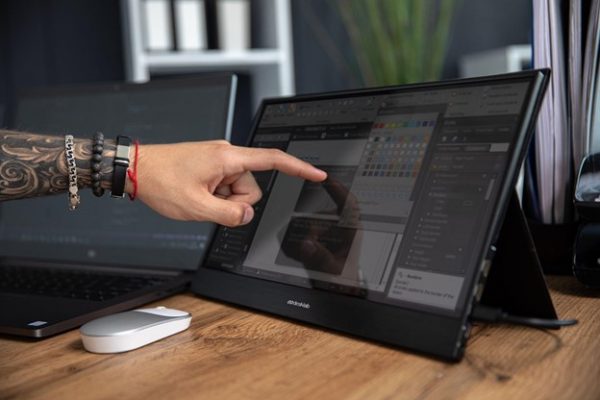
Again, this is one area in which your computer’s configuration can bottleneck the monitor. Just because the monitor can display 120Hz refresh rates doesn’t mean your GPU is strong enough to do so.
However, if you can squeeze more than 60 or 75 FPS out of your system, the Desklab can easily render up to 120 FPS.
The refresh rate and FPS topics are highly debated among gamers, enthusiasts, and even engineers. But one could argue that seeing more frames per second can offer a more pleasant viewing experience. It can also be a difference-maker in the competitive scene, as a player with more fluid gameplay and a faster refresh is likely to outclass someone whose monitor stutters.
Portable and Cross-Platform
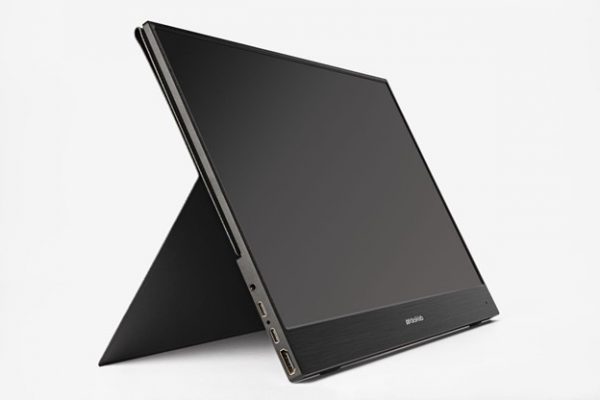
Today’s gaming monitors are still somewhat one-dimensional. Not all of them are compatible with PCs and gaming consoles. The more you want to invest in cross-platform compatibility, the more money you will need to take out of your pocket.
Desklab is in an exciting position in the marketplace. It’s ready to use with mobile devices, Xbox, PlayStation, Nintendo Switch, Mac, PC, and everything between.
It also has a convenient design allowing it to take power directly from the connected device or a wall socket.
Of course, some platforms respond differently to this monitor. For instance, you can’t use the touch screen when connected to a MacBook. But this is a minor inconvenience, quickly overshadowed by the monitor’s other features.
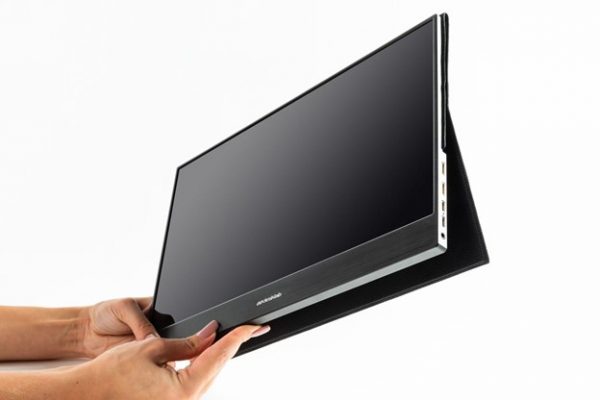
In addition, portability isn’t a staple feature of gaming monitors. In fact, you may not even consider this aspect if you’re looking to buy the best 4K gaming monitor.
But thanks to Desklab’s innovation, you can now get the best of both worlds. This is the best portable gaming monitor that you can take on the road without sacrificing resolution quality.
In addition, the cross-platform compatibility makes it ideal for true gaming enthusiasts who aren’t tied down to a single gaming rig.
Furthermore, if you’re a traveling streamer, this could be an ideal 4K gaming monitor for you. Streaming from a laptop is difficult enough. But adding a 4K portable monitor is a great solution, especially since the Desklab is under 16 inches.
Desklab Notable Features
This gaming monitor has an impressive specs sheet, including the following:
- 4K Resolution
- IPS Screen
- 15.6-inch Display
- 178-Degrees Viewing Angle
- 120Hz Refresh Rate
- True LED Backlighting
- Universal Compatibility
- Touchscreen
- Dual Hi-Fi Speakers
- Portable Charger
- 10ms Response Time
- Less than 1 lbs.
- Plug-and-Play Connectivity
- Two HDMI Ports
- Two USB-C Ports
- MicroSD Slot
- Headphone Jack
Who Is It For?

Given its wide range of features, impressive resolution, bright display, and compact size, the Desklab is more than just a gaming monitor – it’s an all-in-one solution for everyone from casual gamers to mobile users to streamers and entry-level professionals.
You may also appreciate this device if you’re looking for a top cheap gaming monitor to add to a low-end to mid-range setup.
While MSRP prices for this monitor weren’t reflective of its actual quality, the often discounted Desklab is in a much more favorable position these days.
Enhance Your Experience

If you haven’t dipped your toes in the gaming monitor waters, starting with an affordable, portable, 4K gaming monitor could be the way to go. The difference between a traditional monitor and even a high-end laptop display can be intense.
Desklab can meet pretty much any user’s needs, whether you’re a movie lover, avid or casual gamer, coder, streamer, or someone in need of a second monitor. This portable monitor is loaded with features that are hard to beat at this price point, whether you use it as the primary or secondary display. In terms of being the best choice for your needs, that’s up to you. Personal preference always plays a role. But if you’d like to learn more about this cheap gaming monitor, you can visit the brand’s official website at https://desklabmonitor.com/ before making a decision.
