


Close Menu
GamerBolt – Level Up with Playable Games & Trusted Gaming ContentGamerBolt – Level Up with Playable Games & Trusted Gaming Content
    Facebook X (Twitter) Instagram
    GamerBolt – Level Up with Playable Games & Trusted Gaming ContentGamerBolt – Level Up with Playable Games & Trusted Gaming Content
    Facebook X (Twitter)
    • Game News
    • Play
    • Gamertag Generator
    • Discover
      • Best Games
      • Past & Retro
      • Roblox Username Generator
      • VR
      • Next-Gen
      • PC
      • Tech
      • PlayStation
      • Xbox
      • Nintendo
      • Mac
      • Cross Platform
      • Live Streaming
      • eSports
    GamerBolt – Level Up with Playable Games & Trusted Gaming ContentGamerBolt – Level Up with Playable Games & Trusted Gaming Content
    Editorials

    5 Tips & Tricks for Building 3D Game Characters

    Jessica ThompsonBy Jessica ThompsonJuly 20, 2018No Comments3 Mins Read
    Share
    Facebook Twitter Pinterest Reddit WhatsApp Email

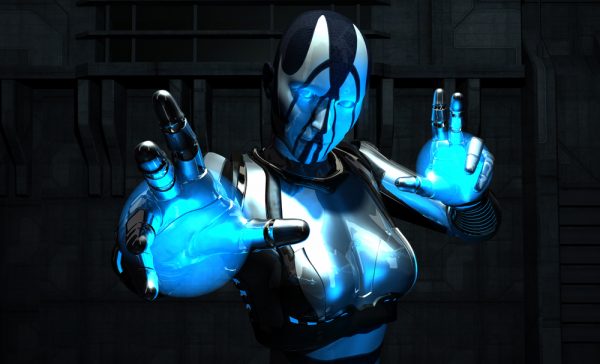
    Most games are almost all about the characters. While things like plot and landscape certainly play a role in the success of a game, characters are the foundation. All 3D characters start as an idea, then they’re transformed into 3D models. From there, you’ll add things like texture and materials to make them begin to look unique.

    Finally, you’ll need a rigging system for controlling movements so animators are able to breathe life into these game characters. Games are more fun to play when the characters are interactive and animated. Here are the top 5 tips and tricks for building characters for your 3D game.
    Image via Unsplash

    Table of Contents
    1. 1. Know Your Program
    2. 2. Start Simple
    3. 3. Don’t Add Unnecessary Detail
    4. 4. Deformed Areas
    5. 5. Clean Work

    1. Know Your Program

    No matter how good of a designer you are, you have restrictions. Maybe those restrictions are from your program or your own set of skills, but that’s why it’s essential for you to understand the ins and outs of your design software. What are the environment settings and how do they play into your design?

    Take the time to get to know new features in your programs, and look for online resources when you find yourself stuck. There’s an endless list of resources, videos, and tutorials geared around helping you learn programs like Autodesk, Maya, and ZBrush. You might even move between programs to gain a closer perspective on your design goals. It’s also worth looking into novel ways of generating 3D data for your character design using your own camera. Click here for more details on transforming photos into 3D models.

    2. Start Simple

    There’s a lot of temptation to rush in with as many details as possible right at the start of a new project. Not only will this get overwhelming, but it will likely lead to mistakes. Like any form of art, you need to start simple and work your way up.

    Game design rule-of-thumb is to start with cylinders or another basic primitive to block out your figures. This will help you understand their proportions so you can start to see the shape coming together. Having these early shapes is beneficial not just for your own design, but for future animators.

    3. Don’t Add Unnecessary Detail

    Like explained above, too much detail can actually be a bad thing. Artists thrive on detail, but too much is more of a wasted effort. The main thing to keep in mind is how your character will be used in the game. If you’re only going to catch glimpses of them from a distance, it doesn’t matter how detailed the fabric is. Always zoom as you work to see how your character will appear in the game.

    Image via Unsplash

    4. Deformed Areas

    Deformities happen in gaming, and they cause gamers to pause and feel disconnected. You can avoid these when designing your characters by making sure there is enough geometry in areas prone to deformation. It’s better to add more polygons than less, just in case. The most common areas for deformities are around joints like knees and elbows.

    5. Clean Work

    Your model isn’t the only work going into the development of this game, or even just the character. That’s why it’s essential to keep your scene clean and organized. Always use clear, correct names for models and delete anything that’s not necessary. Include any needed construction history so the next animator knows what he or she is getting themselves into.

    As a game designer, you know what you want from your characters. These tips above will help you achieve the most out of your designs so you can create a game that lasts.

    Share. Facebook Twitter Pinterest LinkedIn WhatsApp Reddit Email
    Previous ArticleEaseUS Data Recovery Wizard Free Review
    Next Article You’re The Voice: Tips And Tricks To Help You Master Alexa
    Jessica Thompson

    As a dedicated gaming journalist with over five years of experience, I've immersed myself in the ever-evolving world of video games. Currently, I contribute to Gamerbolt.com and PS6news.com, where I cover the latest in gaming news, in-depth game reviews, and industry trends.  At Gamerbolt.com, I've had the privilege of shaping content strategies, writing comprehensive articles, and engaging with a passionate community of gamers. My role involves not only crafting engaging narratives but also staying ahead of the curve with the latest gaming innovations and upcoming titles.

    Subscribe
    Connect with
    I allow to create an account
    When you login first time using a Social Login button, we collect your account public profile information shared by Social Login provider, based on your privacy settings. We also get your email address to automatically create an account for you in our website. Once your account is created, you'll be logged-in to this account.
    DisagreeAgree
    Notify of
    Connect with
    I allow to create an account
    When you login first time using a Social Login button, we collect your account public profile information shared by Social Login provider, based on your privacy settings. We also get your email address to automatically create an account for you in our website. Once your account is created, you'll be logged-in to this account.
    DisagreeAgree
    Please login to comment
    0 Comments
    Inline Feedbacks
    View all comments
    Games
    6 Mins Read
    This Week in Gaming News: January 12th – January 18th, 2026
    By Jay AllsoppJanuary 19, 20266 Mins Read

    Well, that time has rolled around once again; our gaming news roundup has arrived, so…

    Partner
    4 Mins Read
    First-Time PC Build: Key Do’s and Don’ts
    By Jessica ThompsonJanuary 19, 20264 Mins Read

    Building your first PC is a rite of passage and a truly unforgettable experience. You…

    Partner
    4 Mins Read
    How Sweeps Casinos Adapt to New Rules and Laws
    By Jessica ThompsonJanuary 19, 20264 Mins Read

    Why Rules Shift So Often for Sweeps Casinos Sweeps casinos operate under a patchwork of…

    Games
    6 Mins Read
    This Week in Gaming News: January 5th – January 11th, 2026
    By Jay AllsoppJanuary 18, 20266 Mins Read

    And so we find ourselves at the conclusion of another week, and it’s the first…

    GamerBolt – Level Up with Playable Games & Trusted Gaming Content
    Facebook X (Twitter)
    • Home
    • About
    • Advertising
    • Our Authors
    © 2026 GamerBolt.com by iNet Ventures LTD.

    Type above and press Enter to search. Press Esc to cancel.

    wpDiscuz