

The Sega Dreamcast is one of the most underrated consoles ever released. It played host to a number of hugely influential games, arguably spearheaded the online gaming revolution, and even allowed you to interact with certain games using external peripherals like microphones or keyboards.
With that in mind, if you’re looking to enjoy the authentic Dreamcast experience in 2024, we can’t say we blame you. Luckily, there are tons of great Dreamcast emulators out there that can accurately replicate what the hardware was capable of during its (all too brief) heyday. Here are the best Dreamcast emulators to check out right now.
Redream
If you want the most authentic and accurate Dreamcast emulation out there right now, then there are very few options superior to Redream. The emulator allows you to render your Dreamcast games in higher resolutions like 1080p Full HD or 4K, so if you’ve got memories of how Dreamcast games used to look way back when and you want to revisit those memories, this is the emulator for you.
You won’t need BIOS files to run this emulator, either; it’s just a quick download, and then you’re playing whatever Dreamcast game you’ve been dreaming (ahem) about playing. With more than 95% of Dreamcast games available for play, it’s unlikely you won’t be able to enjoy the game you’ve got in mind.
Flycast
As well as core Dreamcast games, Flycast is also able to play Naomi arcade system titles, although it might throw up a few error messages if you try to play Multiboard games. This is very much the Dreamcast emulator to download if you’re looking for extensive system compatibility rather than out-and-out plug-and-play simplicity.
That’s not to say Flycast won’t play your Dreamcast library; you can, of course, enjoy the vast majority of Dreamcast games with this emulator. It’s also able to emulate the Atomiswave board with good accuracy, so if you’re looking to check out some of the more obscure games in the corners of the Dreamcast’s lineup, here’s the app you want.
DEmul
Once upon a time, DEmul was the emulator of choice for those who wanted to play Dreamcast games on Windows machines. It’s arguably been supplanted since then by the above two choices – as well as a couple of other niche emulators for specific purposes – but DEmul is still an excellent Dreamcast emulator if you’re looking for a way to play Sega’s lost classics.
It’ll run core Dreamcast games, as well as those for Atomiswave boards and NAOMI architecture. In fact, for some emulation fanatics, DEmul is the emulator of choice if you’re looking to play NAOMI games, so if you’ve got an arcade hankering, this might be the app for you. Hey, it’s free to download and try, right?
Lxdream
This one might not be the most feature-complete emulator out there, but it’s a solid Dreamcast emulator for Linux and macOS machines. There isn’t much reason to download this over Flycast or redream if you’re just looking for a Dreamcast emulator that gets the job done, but if you can’t use those two emulators for some reason, this one will still do the trick.
The drawback when it comes to lxdream is that it doesn’t have the widest compatibility in the world. You may find that specific Dreamcast games don’t work with this emulator, so make sure to test out your library systematically to discover what works and what doesn’t if lxdream is your emulator of choice.
washDC
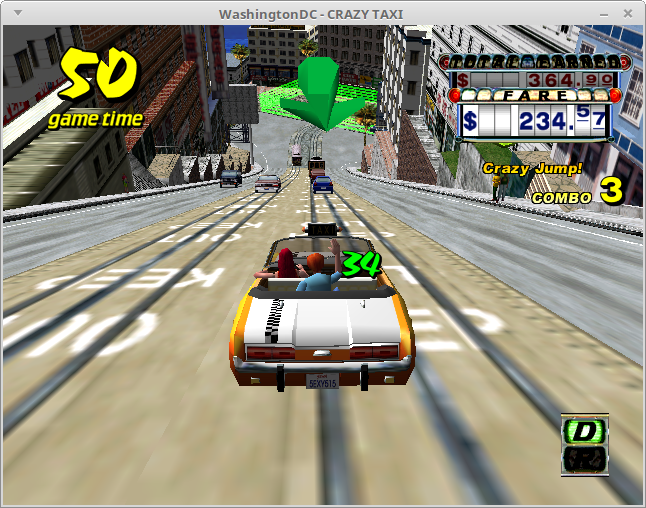
This Dreamcast emulator was once known as WashingtonDC, but changed its name (presumably to make it a little easier to search for, although doing so still returns many Washington DC-related results). It’s an x86 architecture-based Dreamcast emulator, and it’s a very rough and experimental one at that.
If you download this emulator, it’ll largely be because you want to support hobbyist projects or because you want to keep track of how development is going. This isn’t the emulator to use if you want pure high-quality Dreamcast emulation, although if you have an older PC, you may want to keep tabs on it for future reference.
Chankast
According to SegaRetro.org (which is also one of the only places you can still download Chankast), this emulator is one of the first workable emulators to be able to play Dreamcast games with a reliable degree of accuracy and playability. As such, it’s arguably a big part of emulation history.
Again, it’s fair to say that Chankast has likely been superseded by other emulators at this stage, but if you’re looking to see where Dreamcast emulation began – or, at least, where it began to take shape in the primordial emulation ooze – then this is a good place to go. Just don’t expect highly accurate Dreamcast emulation; after all, this app was improved upon in the years following its release.
nullDC
Here’s another emulator you may wish to check out if you want to see where Dreamcast emulation came from. Fair warning, though: nullDC is actually no longer in development, as it’s been replaced by forks that became more mainstream Dreamcast emulation options (such as Flycast, interestingly enough).
However, if you really want to use nullDC and you don’t want to use its forks or alternatives for some reason, then you can still grab the emulator from SegaRetro, even if it’s not being developed anymore. It’s still a solid emulator that should play many Dreamcast games reliably and without issue.
Conclusion
Dreamcast emulation has come a long way since the dark days of early emulator technology, so if you’re looking to play Dreamcast games on modern systems, you’ve got plenty of options for doing so.
For the most part, you’re going to want to use Redream or Flycast for your Dreamcast emulation needs, but there are niche alternatives available that can fulfil specific criteria as well. No matter where you go, you’re bound to find an emulator that works for you, so give a few of them a try and see which ones you like best!
