


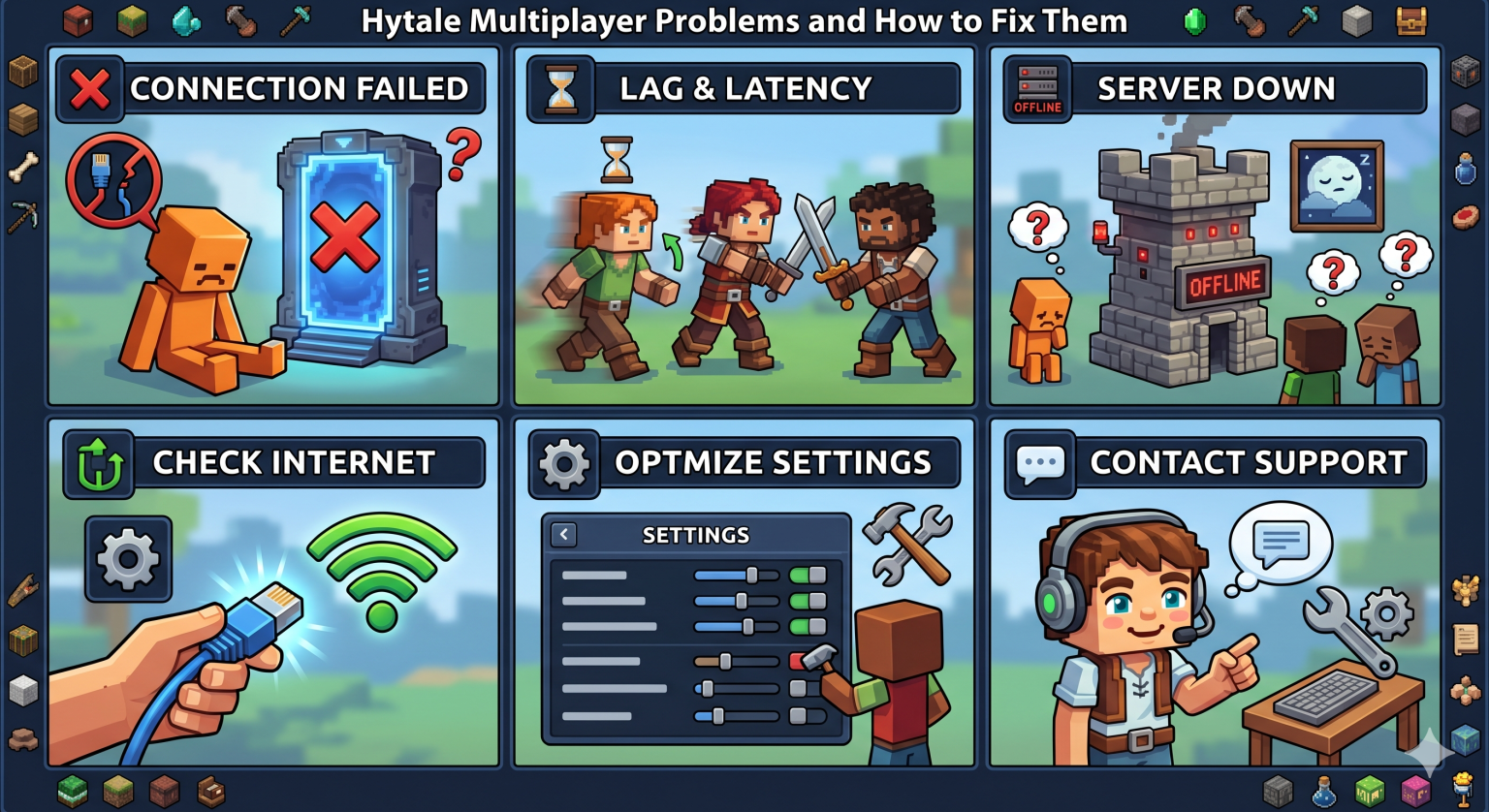

Hytale’s early access launch dropped millions of players into a voxel sandbox that the developers themselves admitted would be rough around the edges. Predictably, multiplayer is where most of those edges show. Servers refusing connections, players rubber-banding across half a chunk, mods crashing on startup – it’s a long list. The good news is that most of these problems trace back to a handful of fixable causes. Here’s what’s breaking and what to do about it.
Why Hytale Multiplayer Is Bumpy Right Now
Some context helps before troubleshooting. Hypixel Studios re-acquired the Hytale IP from Riot Games in late 2025, returned to the legacy engine, and pushed early access live on January 13, 2026 with over a million pre-purchases already in. The server software has been patched repeatedly since launch, the dedicated server source is being released gradually, and Hypixel has been clear that bugs and crashes are part of the deal at this stage.
What that means for anyone running a server: a lot of what looks like a configuration problem is actually a known issue waiting on a patch. Before tearing apart your setup, check the latest server build notes. Next, go through the categories listed below.
Connection Failures and Login Errors
This is the most common multiplayer complaint, and it’s almost always a network layer issue rather than a game bug.
Correct port configuration is essential. Hytale uses QUIC over UDP rather than TCP, and the official Hytale server manual specifies UDP port 5520 as the default listening port. The most frequent self-host mistake is forwarding TCP 5520 instead of UDP, which silently fails – the server appears online to the host but is unreachable to anyone outside the local network.
To fix:
- Forward UDP 5520 (or your chosen port) on the router, not TCP
- Open the same port in the server’s firewall (on Windows, a New-NetFirewallRule command for inbound UDP works)
- If players still can’t connect, check whether the host is behind symmetric NAT, which is common on mobile networks and some ISPs
Symmetric NAT setups can break QUIC’s punchthrough behavior even with correct port forwarding. The standard workaround is moving the server off the home network entirely. A VPS or a managed Hytale Hosting provider sidesteps the NAT issue by giving the server a public IP and clean routing, which is usually enough to resolve persistent connection failures that no amount of router tweaking will fix.
Authentication errors are a separate category. If players see token or device errors, the server operator probably needs to re-run the /auth login device flow in the server console and complete the browser authorization. Hytale enforces server authentication to prevent abuse, with a 500-server cap per game license.
Lag, Rubber-banding, and World Stutter
If players connect fine but characters teleport backward, blocks lag a half-second behind clicks, or chunks load in slow waves, the server is under-provisioned for what’s running on it. The biggest single lever here is render distance.
View distance has the biggest impact on performance. The official Hytale hardware requirements post states bluntly that view distance is the most impactful performance setting on both client and server. Doubling it roughly quadruples the loaded chunk area, which compounds CPU, RAM, and bandwidth load. Hypixel recommends 192 blocks for low-end client setups. For servers, dropping the cap from a default 384 to something more conservative often eliminates rubber-banding without any hardware changes.
Other levers worth checking:
- RAM allocation. The 4 GB minimum is fine for testing or two players. Six to eight GB suits typical friend groups. Anything over ten players or with mods loaded wants 12 to 16 GB.
- CPU clock speed beats core count. Hytale’s server logic runs heavily on single threads, so a quad-core at 4.5 GHz outperforms an eight-core at 3.0 GHz for typical workloads.
- Storage type. SSDs are baseline. Mechanical drives create chunk-load hitching that players experience as freezes during exploration.
Early gameplay depends on smooth performance. For groups grinding through the early game – building out their first workbench, tanning hides, expanding inventory – rubber-banding kills the loop. A character that snaps backward during a mob fight loses both the fight and the loot. View distance reduction usually fixes the issue faster than any hardware swap.
Server Crashes and Memory Errors
Outright crashes typically come from one of three places: Java version mismatches, insufficient memory under load, or unhandled exceptions in plugins.
Hytale servers require Java 25. Earlier versions will fail to start or throw runtime errors. After installing or updating Java, confirm that the path your server launcher uses points at the new version, not a leftover Java 17 binary from another game.
For memory, configure your -Xmx flag to allocate roughly 75% of available RAM, leaving headroom for the operating system and any plugin overhead. Setting -Xmx too low triggers garbage collection pauses that look like server hangs. Setting it too high starves the OS and causes swap activity, which is slower than honest memory pressure.
Frequent crashes that escape these explanations usually point to a plugin issue, which leads to the next category.
Mod and Plugin Conflicts
Hytale runs server-side modding using Java .jar plugins, similar to the Bukkit, Spigot, or Paper ecosystems in Minecraft. The Hytale Wiki’s multiplayer documentation covers the basics, and the server isn’t obfuscated, making plugin development relatively accessible.
The catch is that early access is shipping rapid patches. A plugin built for last week’s server build can break on this week’s. When a server starts crashing after working fine for days, the first thing to check is whether it auto-updated and whether your plugins are still compatible with the new build.
Standard plugin troubleshooting:
- Disable all plugins, restart, and confirm the vanilla server runs cleanly
- Re-enable plugins one at a time, restarting between each
- The plugin that crashes the server is the one to update or replace
For commonly used plugins, the maintainers usually post compatibility notes within a day or two of each server patch. Pinning your plugin versions and updating them deliberately, rather than auto-updating, is safer during early access.
Mod conflicts on the client side are different. Players using community-built content packs need those same packs to be available on the server. Server-side modding means custom content gets delivered to clients automatically when they connect, so version mismatches usually fix themselves. When they don’t, manually clearing the client cache and reconnecting forces a fresh sync.
Player Joins and Friend List Issues
Some multiplayer problems aren’t server-side at all. Players use the in-game friends list to join worlds without exchanging IPs, but the friends list relies on Hytale’s authentication services. When those services have issues – which has happened a few times since launch – friend joins fail while direct IP connections still work.
If your friends can’t see your world, but you can both log in:
- Try connecting via direct IP and port instead of the friends list
- Check Hytale’s status page or social channels for service outages
- Have everyone re-authenticate before assuming the server is broken
The in-game server browser has its own quirks. Servers must accept the moderation terms of service to appear in the browser, but listing is optional. Plenty of community servers run unlisted and rely on Discord or community sites for player discovery. If your server doesn’t show up despite your having configured it for the browser, double-check the listing flag in your config rather than assuming a bigger problem.
Friends connecting from different regions sometimes see ping disparities that look like one player lagging while others are fine. That’s regional routing, not a server problem. A server hosted in North America will always feel worse for a player in Europe, and there’s no software fix – the answer is either accepting the latency or moving the server closer to the bulk of the player base.
What’s Worth Fixing Versus What’s Worth Waiting On
Not every multiplayer problem has a fix at the user level. Some issues are sitting in the Hytale dev queue and will get patched on Hypixel’s schedule, not yours. Knowing the difference saves a lot of time.
Worth fixing yourself:
- Port forwarding and firewall rules
- View distance and resource sizing
- Java version and -Xmx configuration
- Plugin compatibility and version pinning
- Authentication and friend list workarounds
Worth waiting on:
- Engine-level performance issues that affect everyone equally
- Auth service outages
- Bugs that are reproducible on a fresh vanilla server with the default config
Server logs tell you which category a given problem falls into. If your logs show clean connections, normal CPU and RAM usage, and the issue still happens, it’s probably upstream. If they show dropped packets, hitting RAM limits, or plugin exceptions, it’s local and fixable.
Hytale multiplayer will get smoother as early access continues. The team has been transparent about the patch cadence, and server tech historically improves quickly once a game has live data from real players. For now, sizing the host hardware honestly, forwarding the right port on the right protocol, and keeping plugins synced with server patches resolves most of what shows up in support tickets. Your friends can get back to building.
