


Close Menu
GamerBolt – Level Up with Playable Games & Trusted Gaming ContentGamerBolt – Level Up with Playable Games & Trusted Gaming Content
    Facebook X (Twitter) Instagram
    GamerBolt – Level Up with Playable Games & Trusted Gaming ContentGamerBolt – Level Up with Playable Games & Trusted Gaming Content
    Facebook X (Twitter)
    • Game News
    • Play
    • Gamertag Generator
    • Discover
      • Best Games
      • Past & Retro
      • Roblox Username Generator
      • VR
      • Next-Gen
      • PC
      • Tech
      • PlayStation
      • Xbox
      • Nintendo
      • Mac
      • Cross Platform
      • Live Streaming
      • eSports
    GamerBolt – Level Up with Playable Games & Trusted Gaming ContentGamerBolt – Level Up with Playable Games & Trusted Gaming Content
    Partner

    First-Time PC Build: Key Do’s and Don’ts

    Jessica ThompsonBy Jessica ThompsonJanuary 19, 2026No Comments4 Mins Read
    Share
    Facebook Twitter Pinterest Reddit WhatsApp Email

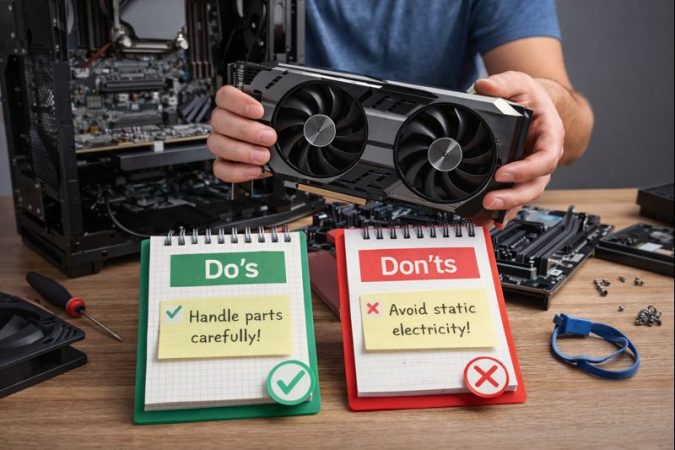
    Building your first PC is a rite of passage and a truly unforgettable experience. You don’t want to remember it for all the wrong reasons, though! To make things easier, here’s a rundown of what you should and shouldn’t do, from prep through building mistakes to first post-building steps.

    Table of Contents
    1. Do: Research Based on the Type of PC You Need
    2. Don’t: Needlessly Overspend
    3. Do: Install Everything You Can on the Motherboard First
    4. Don’t: Zap Your Components
    5. Do: Prepare the OS Install Beforehand
    6. Don’t: Forget those XMP / EXPO Profiles
    7. Do: Streamline the Initial Setup
    8. Don’t: Neglect Your Security and Privacy

    Do: Research Based on the Type of PC You Need

    Component harmony is the basis of any good build, no matter your budget. Ask yourself what kind of PC you’re building and go from there. For example, a gaming PC will require the best graphics card your budget allows for, while video editing, simulations, or 3D modeling benefit equally from the best CPUs and more RAM.

    It’s also worth thinking beyond hardware. The software you rely on, how you connect online, and the stability you need for competitive or latency-sensitive tasks all influence build decisions. Some of those considerations, including network optimization tools like VPN for gaming, are easier to address once the core system is in place.

    Don’t: Needlessly Overspend

    Knowing where you can cut corners will let you spend more on the essentials. Motherboards are a great example. The vast majority of people don’t need the overclocking support and other high-end features offered on expensive motherboards. You’ll also see few gains by going with PCIe 5.0 SSDs unless you transfer terabytes of data daily. RAM clocked at more than 6000MHz with tight timings doesn’t make sense either, especially for gaming at high resolutions.

    Do: Install Everything You Can on the Motherboard First

    The motherboard is your PC’s hardware hub, so installing it first and going from there sounds logical. In reality, you’ll be skipping a lot of stress if you connect everything you can while the mobo is lying down horizontally on the desk first. That means the CPU, its cooler (don’t forget the thermal paste!), the RAM, and the M.2 SSD(s).

    Don’t: Zap Your Components

    Static can build up all too easily during a build, especially if you’re in a dry room and wearing clothes that conduct electricity well. Remove each component from its anti-static bag only when it’s time to install it. Handle them by the edges and occasionally touch the case or other metal objects to ground yourself. An anti-static bracelet can help too.

    Do: Prepare the OS Install Beforehand

    Whether you’re a Windows User or fawn over the latest Linux distros, the operating system is the first thing to install. It won’t appear out of thin air, though – you’ll either get a bootable drive with your copy or need to create one from an online installer. Ask a friend or PC shop to set you up so you don’t waste time on the big day.

    Don’t: Forget those XMP / EXPO Profiles

    The beastly RAM you bought can’t reach its potential without enabling its advertised frequency in the BIOS! XMP was the gold standard and is still recommended for Intel chipsets. EXPO is a solid alternative if you’re on AMD’s AM5 platform. Both technically support either technology, but it’s best to check the packaging and go with the native option.

    Do: Streamline the Initial Setup

    Once your OS is up and running, it’s time for the tedious task of installing all your programs. Make a list of the essentials beforehand and use sites like Ninite to speed up the process. It’s a good idea to set up a VPN first to limit exposure if you’re downloading the rest from a public or shared connection, like the Wi-Fi in your college dorm.

    Don’t: Neglect Your Security and Privacy

    With everything else ready, it’s time to either create or sync accounts for the operating system, apps, game launchers, etc. It’s healthy to treat this as a new start, so see if any accounts need new passwords and make sure that new ones have unique credentials protected by multi-factor authentication.

    It’s also smart to think about how your new PC connects to the internet. Installing a reputable VPN client helps protect your traffic from tracking, especially on shared or public networks, and reduces how much data is exposed as you browse, play, or download. Combined with responsible online habits, this goes a long way toward keeping your setup private and secure from day one.

    Share. Facebook Twitter Pinterest LinkedIn WhatsApp Reddit Email
    Previous ArticleHow Sweeps Casinos Adapt to New Rules and Laws
    Next Article This Week in Gaming News: January 12th – January 18th, 2026
    Jessica Thompson

    As a dedicated gaming journalist with over five years of experience, I've immersed myself in the ever-evolving world of video games. Currently, I contribute to Gamerbolt.com and PS6news.com, where I cover the latest in gaming news, in-depth game reviews, and industry trends.  At Gamerbolt.com, I've had the privilege of shaping content strategies, writing comprehensive articles, and engaging with a passionate community of gamers. My role involves not only crafting engaging narratives but also staying ahead of the curve with the latest gaming innovations and upcoming titles.

    Subscribe
    Connect with
    I allow to create an account
    When you login first time using a Social Login button, we collect your account public profile information shared by Social Login provider, based on your privacy settings. We also get your email address to automatically create an account for you in our website. Once your account is created, you'll be logged-in to this account.
    DisagreeAgree
    Notify of
    Connect with
    I allow to create an account
    When you login first time using a Social Login button, we collect your account public profile information shared by Social Login provider, based on your privacy settings. We also get your email address to automatically create an account for you in our website. Once your account is created, you'll be logged-in to this account.
    DisagreeAgree
    Please login to comment
    0 Comments
    Inline Feedbacks
    View all comments
    Games
    6 Mins Read
    This Week in Gaming News: January 12th – January 18th, 2026
    By Jay AllsoppJanuary 19, 20266 Mins Read

    Well, that time has rolled around once again; our gaming news roundup has arrived, so…

    Partner
    4 Mins Read
    First-Time PC Build: Key Do’s and Don’ts
    By Jessica ThompsonJanuary 19, 20264 Mins Read

    Building your first PC is a rite of passage and a truly unforgettable experience. You…

    Partner
    4 Mins Read
    How Sweeps Casinos Adapt to New Rules and Laws
    By Jessica ThompsonJanuary 19, 20264 Mins Read

    Why Rules Shift So Often for Sweeps Casinos Sweeps casinos operate under a patchwork of…

    Games
    6 Mins Read
    This Week in Gaming News: January 5th – January 11th, 2026
    By Jay AllsoppJanuary 18, 20266 Mins Read

    And so we find ourselves at the conclusion of another week, and it’s the first…

    GamerBolt – Level Up with Playable Games & Trusted Gaming Content
    Facebook X (Twitter)
    • Home
    • About
    • Advertising
    • Our Authors
    © 2026 GamerBolt.com by iNet Ventures LTD.

    Type above and press Enter to search. Press Esc to cancel.

    wpDiscuz